Rep help
Plain-English answers for setting up your listing, protecting your address, and replying to leads safely.
How listing approval works
- Create your account.Use an email you check often because messages and approval notices go there.
- Fill in your private profile.Your full name, phone, and billing address help with admin/payment records.
- Create your public listing.Choose one brand per listing. You can create more listings under the same account later.
- Submit and continue to payment.Basic is free for launch. Featured is $36 CAD/year in Canada or $24 USD/year in the United States.
- Wait for approval.Listings are reviewed before they appear publicly on the map.
Privacy and map pins
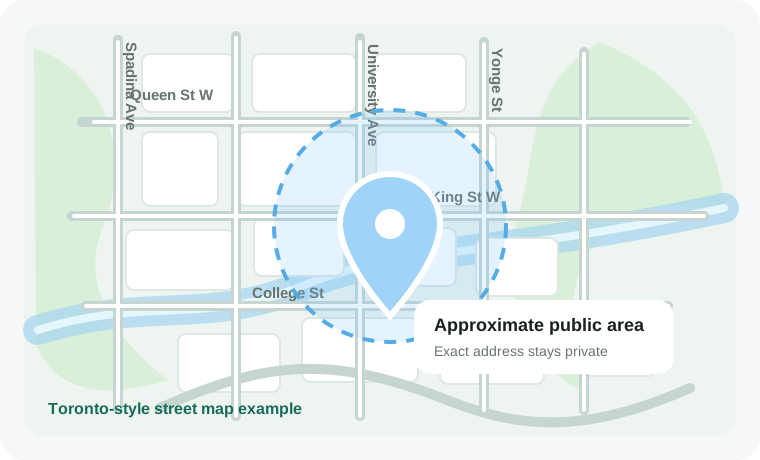
Your full street address is stored privately for admin and payment processes. It is not shown publicly.
The public map uses a stored neighborhood-level pin so customers can find local reps without seeing your exact home address.
Basic
Enhanced
Featured
The Rep Map Referral Program
Every rep on The Rep Map gets a personal referral code and invite link in their Rep Dashboard.
When you share your invite link with another rep, they can create an account and unlock an Enhanced listing for free for one year after they submit their listing.
Once their listing is reviewed and approved by The Rep Map admin, you also receive a reward.
Referral rewards
- If you are on Basic, your listing is upgraded to Enhanced for 2 months.
- If you are on Enhanced, your Enhanced time is extended.
- If you are on Featured, your Featured time is extended.
Important details
- Referral rewards are only applied after the referred rep's listing is approved.
- Featured remains the paid premium membership.
- Referral codes cannot be used on your own account.
- Listings still require admin review before appearing publicly.
- The Rep Map may review or remove referral rewards if the system is abused.
Can I list more than one brand?
Yes. Use one account, but create a separate listing for each brand you represent. Each listing has one brand and can have multiple categories.
What information is public?
Your public listing can show your chosen public first name, brand, city/region, description, profile image, approved links, and contact form. Your exact street address is not public.
How do messages work?
Visitors contact you through your profile without creating an account. You reply inside The Rep Map. The visitor receives a secure reply link, and both sides avoid direct email-link clicking.
How do referral rewards work?
Share your referral link from the Rep Dashboard. The new rep can unlock Enhanced for one year. After their listing is approved, Basic reps get 2 months of Enhanced, while Enhanced and Featured reps get bonus time added.
Why does admin approval happen first?
Approval helps keep the map useful, local, and safe. Admin may reject or request changes for incomplete listings, spam, misleading claims, or unsupported medical, financial, or income promises.
Can customers see my phone or website?
Only if you enter public contact details in your listing. You can leave public phone and website fields blank and still receive messages through The Rep Map.
What should I write in my listing?
Keep it clear and friendly. Say what brand you represent, what kinds of products you help people find, and what local area you serve. Avoid claims you cannot support.
